Most advice on backlinks stops at the wrong place. It tells you how to find your links (run a checker, export the list, admire the number), and then goes quiet, as if a backlink, once earned, stays put. It doesn't. Pages get deleted, publishers swap your dofollow for nofollow during a redesign, an editor rewrites your anchor, a whole donor domain slips out of Google's index. The link you counted last quarter is doing nothing this quarter, and nobody sends a memo.
So this is the other half: not how to check your backlinks once, but how to watch them. Below is a workflow you can run for free in a spreadsheet, the four things worth re-checking on every link, the trap that makes tools cry "lost" when nothing's wrong, and how to set a cadence that matches what a link is actually worth. I build a monitoring tool, so I have a stake here — but the manual method below is complete on its own, and I've put my product in exactly one place, near the end, clearly labeled. Ignore it and you'll still have a working process.
Monitoring is not checking
The distinction does most of the work in this article, so pin it down first. Checking is a snapshot: who links to you right now. Monitoring is the ongoing watch: telling you when that list changes. A checker answers "what have I got?" once and you close the tab. A monitor answers "what just moved?" on a schedule, so a link that dies on a Tuesday doesn't wait until your next audit to get noticed.
It's the same split that muddies the whole "backlink manager" category. I untangled the checker-vs-monitor-vs-audit tangle in what is a backlink manager, so I won't re-run it here; monitoring is one of the jobs that make up managing your backlinks. The one line to carry forward: monitoring is a verb you do to a list you already have. Which means the first question isn't "what tool?" It's "what list?"
Start from the list you already have
GA4's referral list is not that list: it only ever holds the links somebody clicked.
Monitoring watches a set of links. It does not go discover new ones — that's a different job (link discovery, which needs a web-scale crawler like Ahrefs). So before you can watch anything, you need the list of links you already earned. The free source for that is Google Search Console: it's Google's own record of who links to you, and it costs nothing.
The exact click-path (Links → External links → Top linking sites, then export), plus the 1,000-row cap and what GSC quietly leaves out, is a walkthrough of its own, so I've kept it in how to check backlinks in Google Search Console. Go pull your export there, then come back. If you also have links you know about that GSC hasn't crawled yet (a paid placement that went live last week, a guest post from a site Google's slow to re-index), add those rows by hand. Your monitoring list is only as good as what you feed it, and no tool, mine included, invents the rows for you.
That export, a column of donor URLs, ideally with the target page each one points to, is your watch list. Everything below is what you do to it, on repeat.
What to actually re-check on each link
Here's the part most monitoring advice skips. "Is the link still there?" is only one of four ways a backlink dies, and it's not even the sneakiest. A link can sit on the page, looking perfectly alive, and pass nothing. So on each link, re-check four things, in roughly this order of how often they bite.
1. The link is gone, or the page is a 404
The obvious one. The donor deleted the page, restructured the site, or pulled your link out during an edit. This is also the most common cause of link loss by a wide margin: in an Ahrefs analysis of roughly 2 million sites, dropped pages (47.7%) and links simply removed from a still-live page (34.2%) together accounted for more than four in five lost links (Ahrefs link-rot study, 2024). To catch it: fetch the donor URL, check the HTTP status (a 404 or 410 means the page is gone), and if the page loads, confirm your URL still appears in its HTML.
2. Your dofollow was silently swapped to nofollow
The link is right where you left it — but the rel attribute now says nofollow, and it's passing no equity. Publishers do this in bulk during redesigns, when they tighten their linking policy, or when a paid placement's term quietly lapses. Nothing on the page looks different to a human. To catch it, you have to inspect the actual anchor tag, not eyeball the page: view source, find your link, read its rel. GSC, for the record, won't tell you this at all. Its own docs say the Links report doesn't specify whether a link is nofollow.
3. Your anchor text was quietly edited
An editor rewrote the sentence your link sits in, and your anchor went from your target keyword to "click here" or your bare brand name. The link still counts; what it says about your page to Google changed. Worth watching on placements you chose the anchor for. Catch it by recording the original anchor text when you add the link to your list, then comparing on each re-check.
4. The donor page got deindexed
The subtlest death of all. The link is there, it's dofollow, the anchor is perfect — but Google dropped the donor page from its index, so the page passes nothing because Google no longer counts it. A link on a deindexed page is a link into the void. You can't see this by reading the page; you have to ask Google whether it still indexes that URL. The free backlink index checker does exactly that on a single URL, no signup — run your highest-value donors through it periodically.
Miss any one of these four and you'll believe a link is working when it isn't. And when a page does slide, these four are the last box to open rather than the first — the elimination order to work through when a page drops puts them in sequence. This, incidentally, is the difference between monitoring and a toxicity audit: an audit asks "is this link bad for me?" (the Semrush-style toxicity sweep), while monitoring asks "is this link still working for me?" Different question, different cadence, different tool.
The false-"lost" trap
Before you panic at a "lost" flag, whether it's your own spreadsheet check or a tool's alert, know that a lot of them are wrong. The link is fine; the check failed.
The usual culprit is JavaScript. Plenty of modern donor sites (anything on Webflow, React, or a heavy CMS) render their content, including your link, in the browser after the initial HTML loads. A basic fetcher that only reads the raw HTML sees no link and reports it lost, even though a real visitor sees it just fine. Other false positives: a temporary 503 while the donor's server hiccups, aggressive bot-blocking that serves your checker a challenge page, or a slow response that times out.
So the rule is: verify before you act. When a link shows as lost, open the donor URL in a real browser yourself. If you can see your link on the rendered page, it's a false alarm — the check couldn't render JavaScript or got blocked, not that the link died. Only when the link is absent from the page a human sees is it actually lost. This one habit will save you from firing off a needless "why did you remove my link?" email to a publisher who removed nothing. (It's also why a JavaScript-capable fetcher matters in a tool: it cuts these false alarms at the source.)
Cadence: match the check to what the link is worth
"Check weekly" is lazy advice. You don't need to re-check a throwaway forum-profile link every seven days, and you might want to watch a five-figure paid placement more closely than that. Cadence should follow the value of the link, not a blanket calendar rule.
| Link type | Suggested cadence | Why |
|---|---|---|
| Paid placements, high-authority editorial links | Weekly / tight | Real money or hard-won equity on the line; a silent nofollow-swap here costs the most. |
| Solid earned links, mid-value guest posts | Monthly | Worth watching, unlikely to change often. Monthly catches loss before it's ancient history. |
| Low-value, high-volume links (directories, profiles) | Quarterly | Losing one barely registers; batch them into a routine review. |
The quarterly tier folds naturally into a wider housekeeping routine — the quarterly backlink audit checklist is how to run that pass without it becoming a chore. Tier your list once, and most of your links only need looking at four times a year; the handful that pay your bills get the weekly attention they deserve.
The manual method (no tool required)
Here's a complete workflow you can run today, for free, without signing up for anything. It's a genuine process, not a teaser for a paid one.
- Build the sheet. Export your links from Google Search Console (walkthrough here). One row per link. Columns: donor URL, the target page it points to, expected anchor text, expected follow status (dofollow/nofollow), a value tier (high / mid / low from the table above), and a "last checked" date.
- Spot-check HTTP status. On each donor URL, confirm it isn't returning a 404/410. For a handful of links you can open them; for a longer list, the free lost backlink detector checks whether your link still appears on a page without a signup.
- Confirm the anchor and follow status. Open the donor page, find your link in the source, and check two things against your sheet: is the anchor text still what you recorded, and does the
relstill match (no surprisenofollow)? - Index-check the high-value donors. Run your paid and high-authority donor URLs through the backlink index checker to confirm Google still indexes the page. A deindexed donor passes nothing, however healthy the link looks.
- Verify anything flagged, before you act. Any link that looks lost — open it in a real browser first (see the false-"lost" trap above). Rendered link visible? False alarm. Genuinely gone? Now it's real.
- Log it and set the next date. Stamp the "last checked" column, note anything that changed, and schedule the next look per the link's tier — weekly for the crown jewels, quarterly for the filler. For a fast whole-profile read to start from, the free backlink health snapshot gives you a one-look overview, no signup.
Run that on a schedule and you are, by any honest definition, monitoring your backlinks — no subscription required. For a small or slow-moving profile, this spreadsheet is all you need. Don't let anyone (me included) talk you out of it.
Where the manual method starts to hurt is scale and timing. A spreadsheet doesn't ping you the morning a link dies — you only find out when you next sit down to check, which for the quarterly tier could be eleven weeks too late. Past a few dozen valuable links, the manual re-checks eat real time, the JavaScript false-positives multiply, and "I'll get to it" quietly wins. That's the point where automating the watch earns its keep: not because the manual method stops working, but because the discipline of running it every week doesn't survive a busy month.
Where I fit in (the honest part)
This is the interested paragraph, so read it with a raised eyebrow. LinkGuard is a monitoring tool — it runs the loop above for you on a schedule and alerts you when a link is removed, 404s, flips to nofollow, has its anchor edited, or lands on a deindexed page, with a JavaScript-capable fetcher so modern donor pages don't throw the false "lost" alarms from earlier. That's the whole of it. It's a watchman, not a crawler or a salesperson: it only sees the links you tell it about. It does not discover new backlinks (that's Ahrefs' job), it does not run outreach, and its donor scoring is a plain rule-based heuristic, not an AI toxicity verdict. And none of it moves your rankings on its own — monitoring catches loss, it doesn't manufacture rankings. What it does is make sure a link you paid for doesn't die in silence.
If you're weighing named tools against each other rather than deciding whether to automate at all, I laid three of them side by side in Ahrefs vs Linkody vs Monitor Backlinks, and the fuller picture of what continuous monitoring looks like lives on the backlink manager page. And once a link is confirmed dead, watching it isn't the end — there's a recovery playbook for getting a lost paid link back.
Questions people ask
What's the difference between checking and monitoring backlinks?
Checking is a one-time snapshot: you look at who links to you right now and close the tab. Monitoring is ongoing: a schedule that re-checks that same list and tells you when a link changes — removed, redirected, switched to nofollow, or its anchor edited. Checking answers "what have I got?"; monitoring answers "what just moved?" You need monitoring once your links are valuable enough that losing one silently would cost you.
Does a backlink monitor find new backlinks for me?
No. Monitoring watches a list of links you already have; it doesn't discover links you don't know about. Finding new backlinks across the web is a separate job that needs a large web-scale index, which is what suites like Ahrefs are built for. To monitor, you first supply the list — usually a Google Search Console export plus any placements you know about that GSC hasn't crawled yet.
Why does a tool say my link is lost when it's still there?
Usually because the check failed, not the link. Many modern donor sites render their content (including your link) with JavaScript, and a basic fetcher that only reads the raw HTML sees nothing and reports the link lost. Temporary server errors, bot-blocking, and timeouts cause the same false alarm. Always verify a "lost" flag by opening the donor page in a real browser before you contact anyone — if you can see your link, it's a false positive.
How often should I check my backlinks?
Match the cadence to the link's value, not a blanket rule. Paid placements and high-authority editorial links are worth a tight, roughly weekly watch; solid mid-value links a monthly look; low-value, high-volume links (directories, profiles) a quarterly batch review. Tier your list once and most links only need attention four times a year, while the few that pay your bills get watched closely.
Can I monitor backlinks for free?
Yes, for your own site. Export your links from Google Search Console, drop them in a spreadsheet with the anchor and follow status you expect, and periodically re-check HTTP status, anchor text, follow status, and whether the donor page is still indexed — free tools like a lost-link detector and an index checker cover the spot-checks without a signup. The manual method works; it doesn't alert you the moment something changes, which is where a paid monitor earns its keep at scale.
The short version
Checking is a snapshot; monitoring is the watch. Start from the list you already have (a GSC export), then re-check four things on each link — is it gone, was dofollow swapped for nofollow, was the anchor edited, did the donor page get deindexed. Verify any "lost" flag in a real browser before you panic, and set your cadence by the link's value, not a flat weekly rule. All of that is doable free in a spreadsheet, and for a small profile it's enough. When the watching outgrows the discipline to keep doing it by hand, that's when automating earns its place. If you'd rather be told the morning a link dies, start free with 1,000 free tokens (~83 checks), no card, and point LinkGuard at the links you can't afford to lose.
About the Author

Related Articles

Link juice and link equity: what actually passes through a link
Google's documentation says PageRank is still part of its core ranking systems. The arithmetic everyone teaches for it was last restated by a Google employee in 2009, inside his own disclaimer. Both of those are on the record.
A ranking dropped: what to rule out, in order
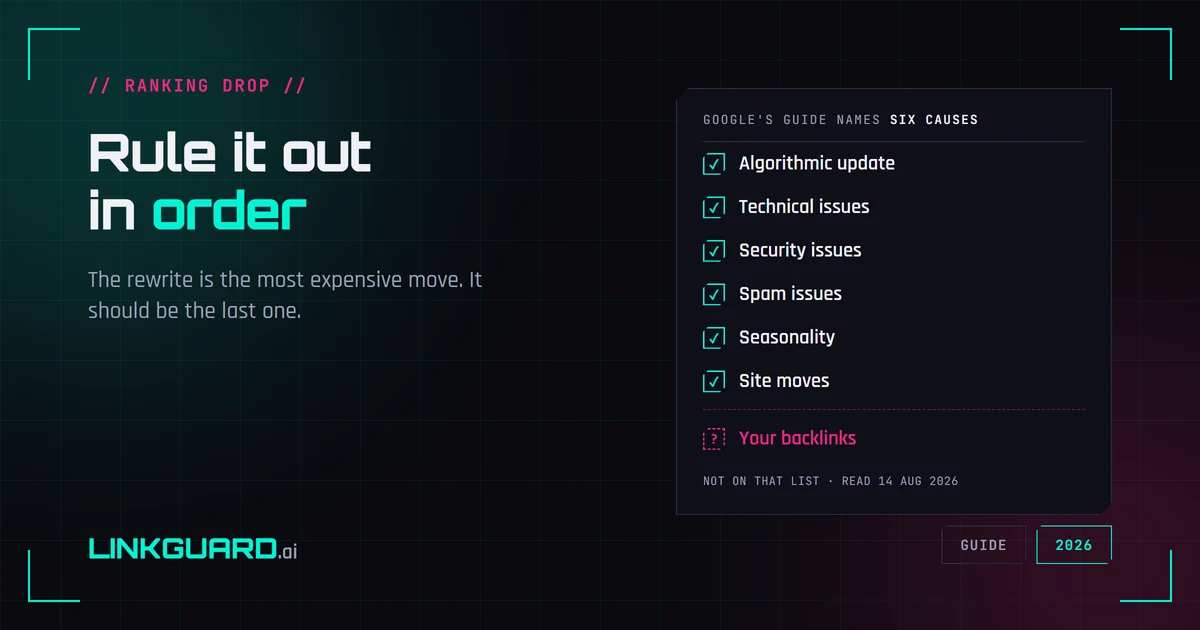
Google publishes a debugging guide for Search traffic drops. It names six causes, and backlinks aren't among them — the word doesn't appear on the page. That's not an oversight, it's a boundary: the guide covers Google's side of the glass. Here's the full elimination order, from measurement artifacts to the box almost nobody opens, with the rewrite saved for last.
Why your SERP position is three different numbers
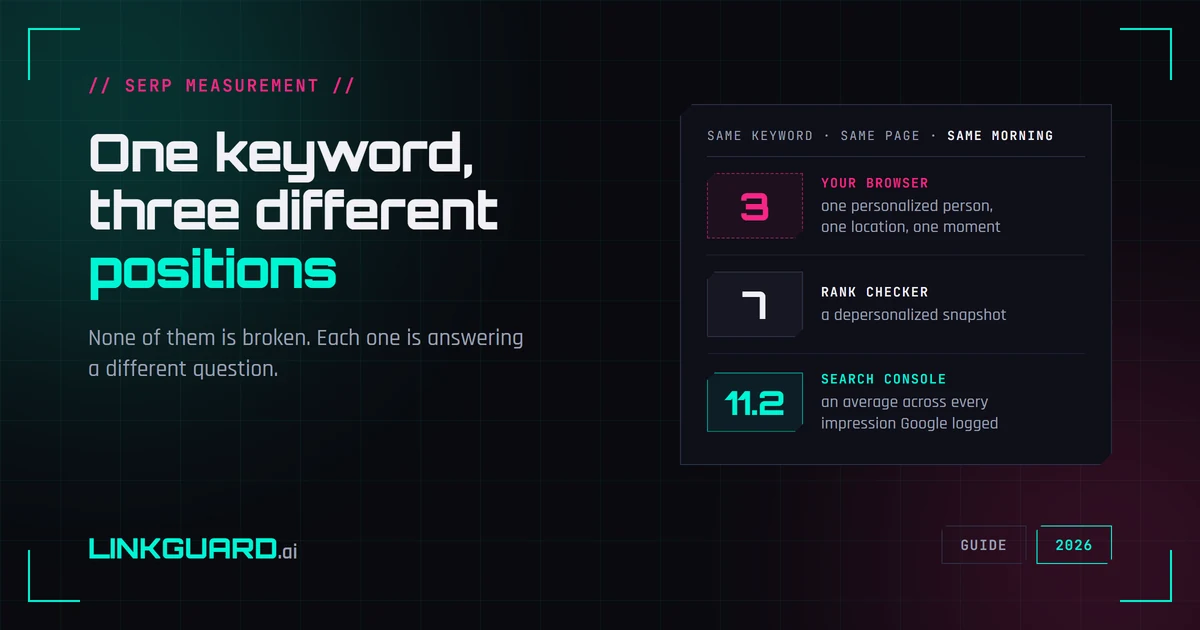
Your browser puts you third. Your rank tracker says seven. Search Console says 11.2. Same keyword, same page, same morning — and none of the three is broken. They answer different questions, and Google documents most of the difference itself. What each number measures, two things I checked live this week that contradict the standard advice, and the one figure worth putting in a client report.