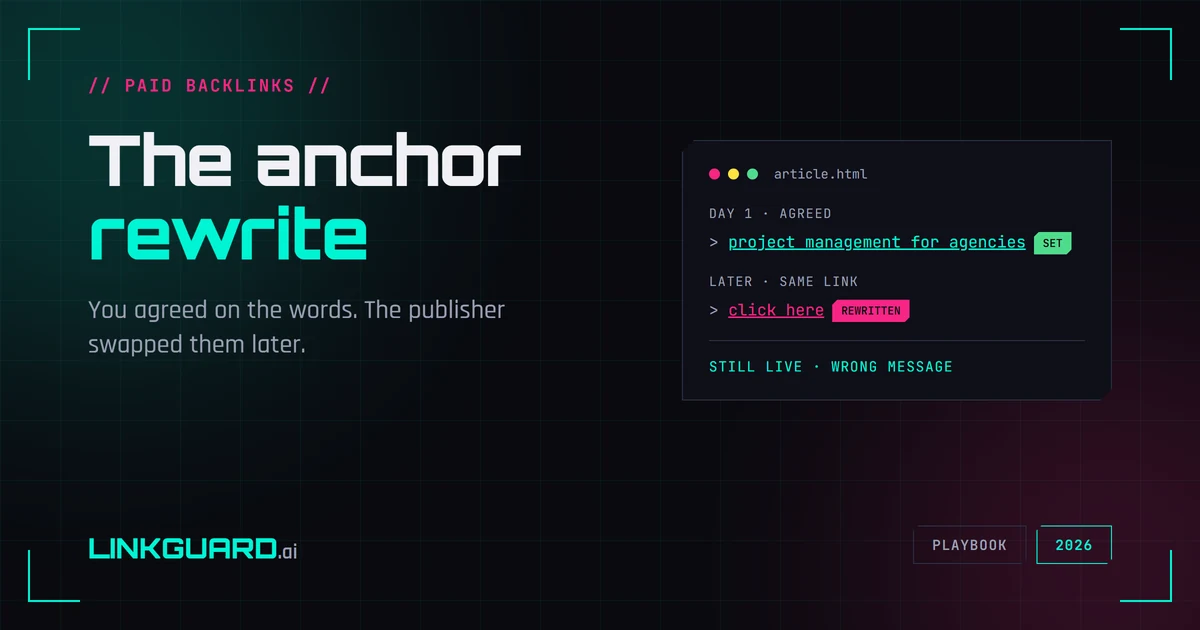
You negotiated the anchor. Not "click here" — the exact words you wanted your link to carry, on a page you waited two months to land. It went live correct, you checked it, you moved on. Then one day you open the page and your anchor reads something else. Maybe it's a flat "read more" now. Maybe it's the publisher's own brand name. Maybe, on a bad day, it points at a phrase that has nothing to do with you. The link is still there. It's still followed. And it's quietly carrying a different message than the one you paid for.
This is the cousin of the nofollow swap, and just as quiet. A removed link sets off your alerts. An attribute change to nofollow at least leaves a trace in the HTML. But an edited anchor? The URL still resolves, the link still points at your page, the status is still 200. Every presence check you run says the placement is healthy. You can lose the exact thing you chose the anchor for and never get a single warning.
I've watched this one catch experienced people off guard because almost nobody keeps a record of what the anchor was supposed to say. This piece covers why the anchor is part of what you bought, the ways publishers rewrite it, how to tell if yours was changed, whether it hurts you at all, and what to do about it.
The anchor is part of what you paid for
When you place a link, the anchor text isn't decoration. It's the bit that tells both readers and search engines what's on the other end. You chose specific words for a reason: relevance to a topic, your brand name, a phrase that makes someone want to click. That choice is part of the deal, the same way the link type and the placement page do.
So when a publisher rewrites it, you don't always lose "ranking power" in the dramatic sense. Sometimes you lose relevance. Sometimes you lose the clicks a descriptive anchor would have earned. Sometimes you lose a brand mention that was the whole point. The loss depends on what the anchor was doing for you, but in every case it's the same core problem: you agreed on one thing and silently got another.
The ways a publisher rewrites your anchor
Not every anchor edit is sabotage. Knowing which kind you're looking at tells you how hard to push:
- Generic-ised. Your descriptive anchor becomes "click here", "read more", or "this article". Usually an editor tidying the page or following a house style, not malice. It still strips the relevance you wanted.
- De-optimised on purpose. The site got nervous about over-optimised anchors and softened yours from an exact phrase to your bare brand or URL. Overcautious, and sometimes not even wrong, but still not what you agreed.
- Repurposed for them. The anchor now reads as the publisher's own brand or an internal term, turning your placement into something that serves their page more than yours.
- Repointed entirely. The rarest and worst: the anchor and the destination both change, and your link now sends people somewhere else. That's not an anchor edit anymore. It's a stolen placement, and it belongs in recovery territory.
The first two are usually a polite email away from being fixed. The last two tell you something about the seller you'll want to remember.
How to tell if your anchor was changed
Spotting it needs two things: what the anchor says now, and what it was supposed to say. The first is easy. The second is where everyone comes up short.
Open the page, find your link, and read the clickable text. That's the current anchor. Now compare it to what you agreed when you bought the placement, which means you needed to write that down somewhere at the time. A note, an email, an order line, anything. If you didn't, you're left squinting at a link that feels off without being able to prove it changed.
For checking the live state across a page or a profile, our anchor text checker reads the anchors on a URL so you don't have to dig through source by hand. It tells you what each link says today. What it can't know is what you agreed to yesterday, so pair it with your own record of the deal. And if you're thinking about your overall anchor spread rather than one swapped link, the anchor text portfolio checklist covers that side. The honest limit, same as every manual check: it works for a handful of links and falls apart at scale.
Does an edited anchor hurt your SEO? (an honest answer)
Time for the unsexy truth, because the scare version is everywhere. It depends, and often the damage is smaller than the panic.
If your anchor was an exact-match money keyword, losing it is not the catastrophe some make it out to be. Google has spent more than a decade down-weighting aggressive exact-match anchors, and an over-optimised one can be a liability, not an asset. A descriptive anchor quietly becoming your brand name is sometimes a sideways move, not a loss.
Where it does sting: a relevant, descriptive anchor flattened to "click here" loses the topical context you were paying for, and the clicks that context drove. A placement chosen for a brand mention loses the mention. And if the link was repointed, you've lost the placement outright. So the honest answer to "does this hurt?" is "it depends what the anchor was doing", and the only person who can judge that is you, holding the original deal next to what's live now.
What to do when you catch one
Treat a changed anchor like any other broken term: as a deal that didn't hold. The steps:
Confirm and capture. Screenshot the current anchor in the live page source, and put it next to what you agreed. You want the before-and-after on record before you write to anyone.
Ask, without heat. For the generic-ised and de-optimised cases, a short, specific note usually fixes it: "Hi — the link in [article] reads [current anchor] now; we'd agreed on [agreed anchor]. Could you set it back?" Our recovery email templates have wording for restore-vs-refund requests like this.
If they fix it, done. If they refuse, go quiet, or you find the link repointed, you're into refund territory. How that goes depends entirely on what was promised in writing. That's the case for nailing down the anchor in the order, covered in our guide to what backlink guarantees promise and the work of vetting the seller before you buy. A vendor who edits anchors after payment has told you who they are.
Catching anchor edits before they cost you
All of that assumes you noticed, and noticing is the hard part. An anchor you catch this week is one email. An anchor you find changed six months later is half a year of a link quietly carrying the wrong message while you assumed it was fine.
This is what LinkGuard is built to watch. You record the anchor you expect on each monitored link; the monitor reads the live anchor every cycle and flags a mismatch the moment the two stop matching, the same way it catches a removal or a switch to nofollow. And even if you never set an expected anchor, it flags when the live anchor changes from what it last saw. Tie the link to its cost and seller, and an anchor edit lands in the recovery ledger as a flagged placement attached to the vendor responsible, so your outreach starts from a record instead of a hunch.
Picture the version where you caught it. A Monday alert: the anchor on that resource-page link changed from "project management for agencies" to "click here", on a placement that cost you $220. You send the restore request from a saved template that afternoon. It's back by the end of the week, and if it isn't, you've got the dated before-and-after to ask for the money back.
The limits, plainly. Monitoring catches the edit after it happens, not before. It only watches links you've added and an expected anchor you've set. And it can flag the change and arm your email, but it can't make a publisher type your words back in. What it does is make the difference between finding out in days and finding out two quarters too late.
Questions people ask
Can a publisher change my anchor text after I've paid?
Technically yes — it's their page, and editing the clickable text takes one keystroke session. Whether they're allowed to is a contract question: if you agreed on a specific anchor, changing it is a broken term, and your recourse depends on what was written down. A clear order line stating the anchor gives you grounds to ask for a fix or a refund; a vague verbal agreement gives you very little.
Does changing anchor text hurt SEO?
It depends on what the anchor was doing. A descriptive, relevant anchor flattened to "click here" loses topical context and click-through. A brand-mention anchor loses the mention. But an aggressive exact-match keyword anchor isn't a big loss to give up — Google has down-weighted over-optimised anchors for years, so softer is sometimes safer. The real issue is that you chose the anchor deliberately and it was changed without your say.
How do I know if my backlink's anchor was changed?
Compare the live anchor to the one you agreed on. Open the page, find your link, read the clickable text, and check it against your order notes or the email where the anchor was set. A free anchor text checker reads the current anchors on a URL for you, but it can't know what you originally agreed — so keep a record of the deal, or use monitoring that stores the expected anchor and compares it for you.
Should I be using exact-match anchors at all?
Sparingly. A backlink profile stacked with exact-match money-keyword anchors looks engineered and can do more harm than good. Most natural profiles lean on brand, URL, and descriptive anchors with the odd exact-match in the mix. If a publisher softens an over-optimised anchor of yours, it's worth asking whether the original was a smart choice in the first place — see the anchor text portfolio checklist.
Why didn't my backlink monitoring tool catch the anchor change?
Because most tools check whether the link is present and the URL resolves, not whether the anchor still matches what you agreed. A link with an edited anchor is still present and still returns 200, so a presence-only check reports it as healthy. Catching the edit means storing the expected anchor and comparing it to the live one over time. LinkGuard tracks the expected vs actual anchor on each monitored link and alerts when they diverge.
Is an anchor change worse than a nofollow swap?
They're different losses, not ranked ones. A switch to nofollow strips the ranking credit the link passed. An anchor edit changes the relevance, brand, or click-through the anchor carried, and can range from harmless (a softened exact-match) to serious (a relevant anchor reduced to "click here"). Both are silent edits to a link that still looks alive, which is exactly why both slip past presence-only checks.
Watch what the link says, not just whether it's there
A link with a rewritten anchor passes every health check that only asks "is it up?" — that's the whole trap. The page loads, the link points home, the checker's green, and the words you chose have been replaced for who knows how long. The only way out is to watch the anchor against what you agreed, on every paid link, without trusting yourself to remember each deal.
For a few links, the anchor text checker plus a note of what you agreed will get you there. When that stops scaling, start free with 1,000 tokens — about 80 full link checks to start — and LinkGuard stores the anchor you expect on every link, flags the day the live one stops matching, and ties it to what you paid and who sold it, so a quiet rewrite becomes a fix you can ask for.
About the Author

Related Articles

Expired domain backlinks decay before the auction closes
Policy requires an expired .com to resolve to nothing for weeks before anyone can buy it. The links you're bidding on were counted before that, by a crawler that hasn't been back.

PBN backlinks don't fail one at a time
Google's spam documentation never uses the word. What a network link actually is in 2026, which footprints still identify one, and why four of them tend to go in the same week.
Directory submission in 2026: what a listing is actually worth
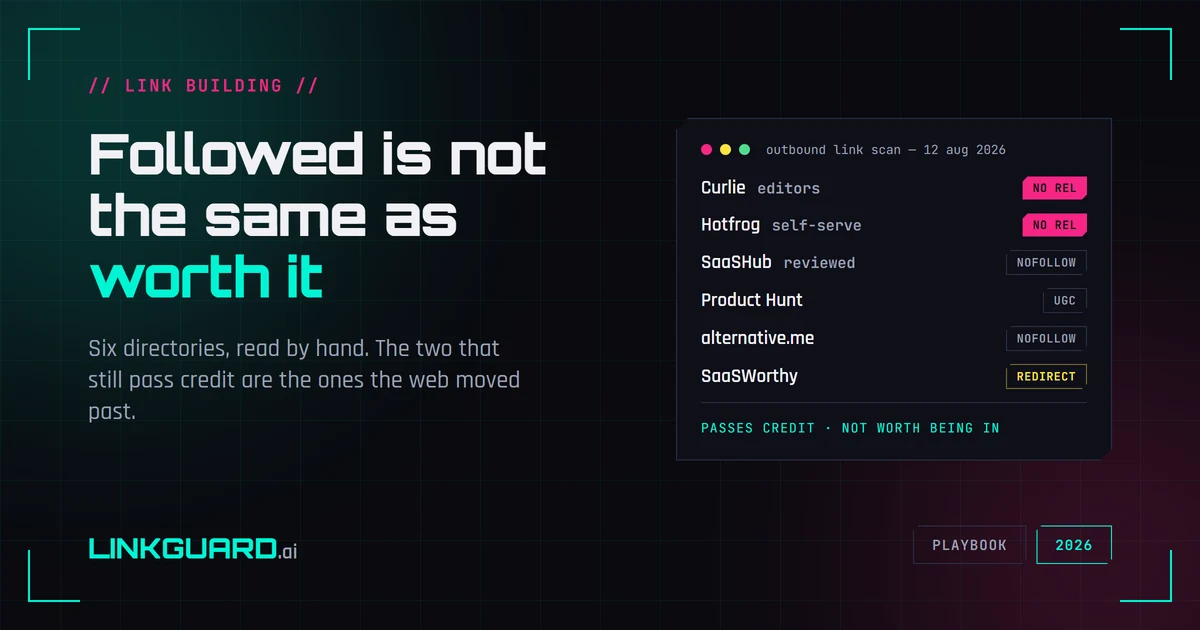
Google's spam policy names low-quality directory links as link spam. We opened six web directories and read the raw HTML: the two that still pass link credit are the general-directory survivors, while every vertical directory worth being listed in withholds it. What the tactic is still good for, and what to check once a listing is live.