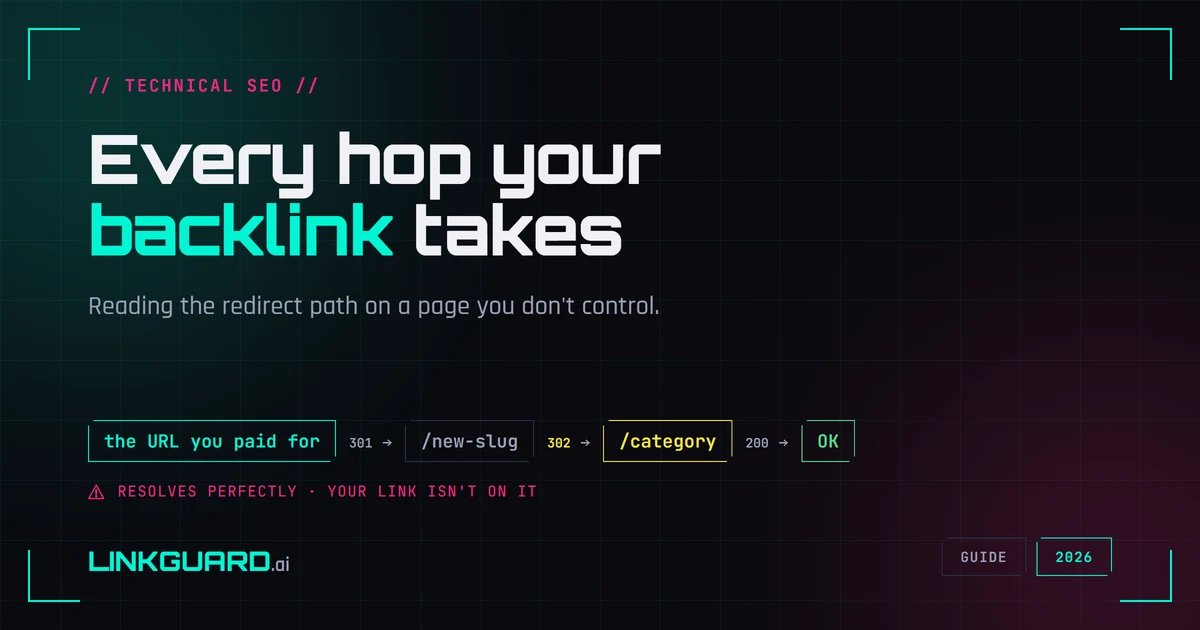
You paid for a link. You open the URL, the page loads, the article is there, your anchor is there. Everything looks fine.
That check tells you less than it feels like it does. A URL that resolves can be arriving through two, three, or five hops before it lands, and every one of those hops is a decision someone else made about your link after your money cleared. Most of them cost you nothing. One or two of them mean the placement you bought no longer sits where you bought it, and nothing about the page loading in your browser will tell you which case you're in.
This article is about reading that hop path on a link you don't control. If you want the groundwork instead — what a redirect chain is, whether chains leak equity, how to clean up the ones on your own site — that's redirect chains explained, and this piece starts where that one ends.
Disclosure up front: we built the tracer behind our free redirect checker, so the section on what a trace can and can't see is the one where we have a stake. It's also the section where we've been most careful about what we claim.
Why you'd trace a link you didn't publish
At acceptance. You paid for a placement on a specific page. Before you file it as delivered, confirm the URL you were given is the URL that serves the content, and that it hasn't been quietly pointed at a thinner page since the pitch. This takes ten seconds, and it's the only moment the publisher still has a reason to care.
Months later, on a schedule. This is the one people skip. A link that was a clean single hop at acceptance picks up a redirect when the site restructures its URLs, migrates its CMS, or moves a category. Nothing breaks. Nothing disappears. Your uptime check stays green, because the page still returns 200. The only thing that changes is the path your link takes to get there, and the only way to see it is to look at the hops.
When a client asks why a link stopped working. Every version of that conversation starts in the same place. Being able to show the hop path, with dates, turns an argument into a fact.
Shorteners and tracking wrappers. Rare on editorial placements, common on resource pages, coupon pages, and anything with an affiliate history. Worth confirming the link goes where you think before you count it.
The hop path, briefly
A hop path is the ordered list of URLs a request passes through before something returns a final status. Each hop has its own status code. "The URL works" describes the last hop only; the interesting information is in the ones before it.
You can read a hop path with curl -IL, with a browser's network panel, or with any redirect checker including ours. The tool matters less than knowing what you're looking at, which is the next section.
What to read in the hop list
- One
301, then a200. The normal case. Google's redirect documentation says the indexing pipeline treats a permanent redirect as a signal that the target should be canonical. What a redirect carries beyond that is less settled than it is usually reported: Google has never published a figure, either way. - A
302,303or307anywhere in the chain. With a temporary redirect the indexing pipeline doesn't take the target as canonical, so the source URL stays the one Google shows. The bigger tell is human, not technical: a temporary redirect that's been sitting there for months is usually a forgotten config, and sometimes a page being quietly retired. - More than two or three hops. Google's crawling documentation says its crawlers follow up to 10 redirect hops by default, so a normal chain is nowhere near a hard limit. Treat the count as a maintenance signal rather than a penalty: every extra hop is one more place the path can break, and a link arriving through five hops usually means nobody has touched that site's URL structure in a long time.
- A hop that changes hostname. The placement has effectively left the page you paid for. Worth a conversation with the publisher.
- The final page returns
200, but your link isn't on it. The page 301s to a homepage or a category index. The URL resolves perfectly and the placement is dead. This is the failure a status check will never catch.
That last one is the one to remember. Most monitoring failures aren't a 404. They're a page that answers cheerfully from an address that no longer contains your link.
Where a plain trace stops telling you the truth
Redirects don't only happen over HTTP. A page can return a clean 200 and then move the visitor with a <meta http-equiv="refresh"> tag or a line of JavaScript assigning location.href. A command-line trace sees the 200, decides the journey is over, and stops. The browser keeps going. That gap is why "the checker says it's fine but the page clearly bounces" is such a common complaint.
Here is exactly what our checker does about it. After the HTTP hops finish, it reads the final page's HTML and looks for a meta refresh tag or a location assignment. If it finds one, it tells you the trail doesn't end there.
What it doesn't do: it doesn't execute the JavaScript, so it can't tell you where that redirect goes. It reads the first 64 KB of the final page only, so a redirect declared further down is missed. It's a pattern match, which means a script that merely reads a location property without redirecting anywhere can trip it — and, in the other direction, it only looks at the opening of each script block, so an assignment buried further down one is missed. And it doesn't look at hops before the last one, or inside iframes, at all.
Our own checker, getting it wrong
Tracing http://www.perl.org/ through it on 2 August 2026 returns, trimmed to the fields that matter:
hop 1   301   http://www.perl.org/
hop 2   200   https://www.perl.org/

js_redirect_detected:  true
verdict:               DEGRADED
reason:                "Final page contains a JavaScript redirect"
recommendation:        "JS-based redirects are invisible to most
                        crawlers — switch to server-side 301"
Two clean hops and a flag. Except perl.org doesn't redirect in JavaScript. The line that tripped the pattern is window.location.protocol inside a Google Analytics call — a script reading the protocol to record it, sending nobody anywhere. Our tool saw the right thing and called it wrong, then recommended a fix for a problem that isn't there: perl.org has no JS redirect to convert into a 301.
So read the flag narrowly: a plain trace has run out of road, and this link needs a human with a browser and an open network panel. It's not a map of where the link ends up. No free HTTP-based checker gives you that, ours included, and any that claims otherwise is describing a browser it isn't running.
The part that costs money
A link lands on a page that bounces again in JavaScript. Or it arrives somewhere that no longer contains your anchor. Either way you don't know, because the URL resolves, the page loads, and the checker that stopped at the first 200 called it healthy. You've been counting that placement. You've been reporting it to a client as live. For however many months it's been that way.
The real loss isn't the one the industry names. It isn't equity leaking away hop by hop — that arithmetic has no published source, as the record on what a link actually passes sets out, and we've written about why the myth persists. The loss is simpler and worse: a placement that moved, broke, or emptied out, and a check that never told you.
Tracing one link takes a minute. Tracing four hundred of them every month is the reason monitoring exists — and what that costs, at three portfolio sizes, is its own question. LinkGuard stores the hop chain on every check and flags the link when it starts arriving through a temporary redirect or an unusually long one: same question, asked every week instead of the day you remember to ask it.
The cheapest way to find out whether any of this applies to you is to take one link you paid for and read its hop path against the list above: trace one now.
What to do when a new link lands
Trace it once at acceptance and keep the output. That gives you a baseline, which turns every later check into a comparison instead of a guess. Then re-trace on whatever cadence matches the link's value: the ones that matter, monthly; the rest, quarterly. When something changes, you'll know the date it changed, which is the only thing that makes a publisher conversation go anywhere. If the destination turns out to be gone rather than moved, that's a recovery case, not a redirect problem. And if you're planning a migration on your own site, the sibling job is covered in the site migration SEO checklist.
Questions people ask
How do I trace a redirect on a link I don't control?
The same way you would on your own URL, since the trace happens over HTTP and needs no access to the site. Run the donor URL through curl -IL, a browser's network panel, or a redirect checker, then read the hop list: the status code on each hop, whether any hop crosses to a different hostname, and whether the final page still contains your anchor. That last check is the one no status code answers for you.
Is a redirect chain bad for a backlink?
Not in the way it's usually described. Chains don't drain equity hop by hop — that myth is covered in redirect chains explained. What they do is add fragility — every hop is a place the path can break — and act as a symptom of a site nobody is maintaining. Judge the chain by what the hops are doing, not by the count alone.
How often should I re-trace a backlink?
Match the cadence to what the link cost you. A placement you'd argue with a publisher about is worth a monthly trace; the rest are fine quarterly. Redirects don't arrive on a schedule — they arrive when a site migrates, restructures, or changes hands, and none of that gets announced. Quarterly catches it within a quarter, which is usually still early enough to have the conversation.
Why does my redirect checker say 200 when the page clearly bounces?
Because the bounce is happening after the HTTP conversation ends, in a meta refresh tag or in JavaScript. An HTTP-based checker sees a successful response and stops there; your browser reads the page and keeps going. To see where it lands you need a real browser with the network panel open, or a tool that renders the page.
Should I ask a publisher to remove a redirect on my link?
It depends what the redirect is doing. A single permanent redirect from an old URL to the current one is fine and usually not worth the email. Ask when the redirect is temporary, when it crosses to a different hostname, or when the destination no longer contains your link. In that last case you're not asking about a redirect at all — you're asking why the placement you paid for is gone.
A baseline trace is worth more than any later check
The hop path you capture the day a link goes live is worth more than any check you run afterwards, because it's the only one you know was right. Everything after that is a diff.
About the Author

Related Articles

How to find backlinks in Google Analytics 4 (it only shows the clicked ones)
GA4 has no backlink report. It counts referral sessions - visits that arrived from a link somebody clicked - so a removed link and an unclicked link produce the same empty row. The current click-path, why the referring URL arrives stripped to a domain, and the six blind spots.

How to check a backlink in Google search (we ran all four ways)
link:linkguard.ai returns 73 million results and not one backlink. What the retired operator, a quoted search, the page's own HTML and Search Console each actually prove.
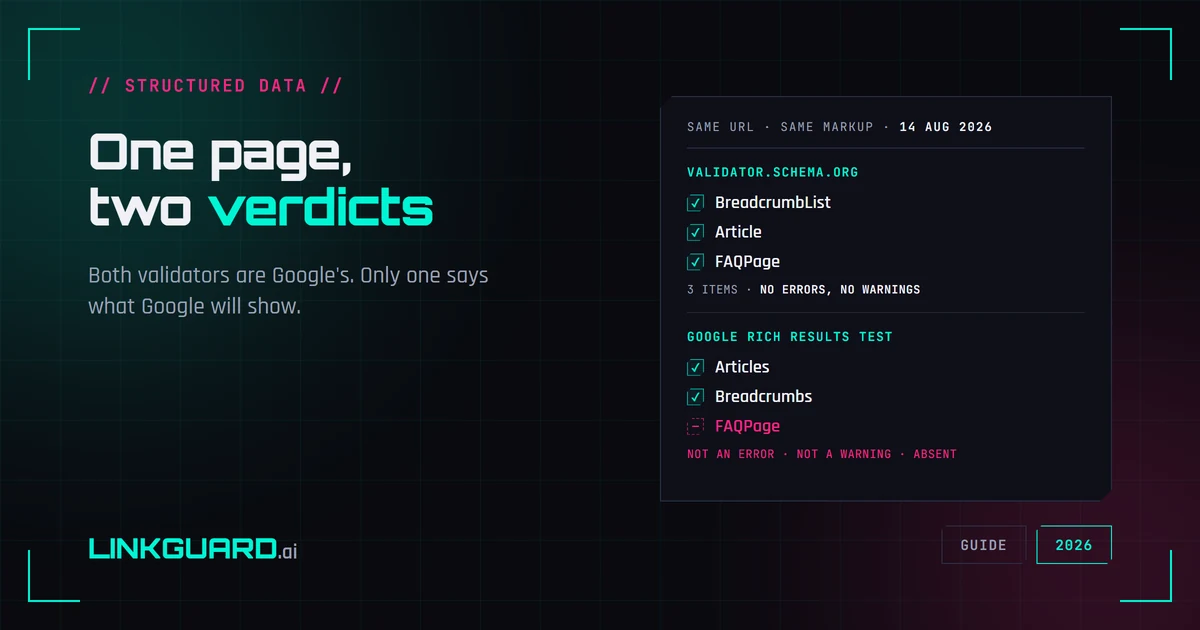
Two schema validators, two verdicts: which one decides your rich result
The same page passes schema.org's validator with three items and no warnings, and Google's Rich Results Test with two. Nothing errored. One item is simply absent. Both tools are Google's, both are right, and only one of them is telling you what Google will actually show. Run on our own page, on 14 August 2026.