You signed up for Semrush, you typed your domain into Backlink Audit, and the report came back with a number in a worried shade of orange. Now what? Most people freeze here. The tool flags forty "toxic" links, the disavow button is right there, and nobody told you whether clicking it helps or quietly tanks your rankings.
This is the walkthrough for that exact moment. Not "what is a backlink audit" and not "is Semrush worth it" — I cover the should-you-bother question separately in whether the Semrush audit is worth it, and how to run one free. This piece is the mechanical part: open the tool, set it up right, read the score without panicking, and decide what the disavow file is actually for.
Full disclosure before we start. I run LinkGuard, a backlink monitoring tool. Semrush's Backlink Audit does a different job. It crawls the web to find and score links across a whole profile, which is not something we do. I'm not selling you an alternative to it here. I'm showing you how to use it well, and I'll flag the one place at the end where a tool like mine fits and where it doesn't.
One caveat before the clicks: Semrush reshuffles this interface fairly often, so a button may have shifted by the time you read this. The labels below were accurate in June 2026.
Where to find Backlink Audit in Semrush
Backlink Audit lives inside Projects. Open Semrush, go to Projects, create a project for your domain (or open the one you have), then click into Backlink Audit and hit "Set up." It sits in the Link Building group of the toolkit, not in the standalone backlinks lookup — and that distinction trips people up, so hold on to it.
Here's the confusion worth clearing first. Semrush has two backlink things. There's the free Backlink Checker (Backlink Analytics), a no-login lookup that shows you a domain's backlinks and metrics. And there's Backlink Audit, the project-based tool that scores your links for toxicity and builds a disavow file. People search "semrush backlink checker" expecting the audit and land on the lookup, then wonder where the Toxicity Score went. If you want the toxicity-and-disavow workflow, you want Backlink Audit, the one under Projects. That's the one this guide is about.
Setting up the audit (the four-step config)
Setting up Backlink Audit takes four steps: choose your domain scope, enter your brand name, pick your site's categories, and set target countries. Then connect Search Console and start the crawl. Here's each step, in order.
Scope and domain. Tell it whether you're auditing a root domain, a subdomain, or an exact URL. Root domain is what most people want — you're checking the whole site's link profile, not one page.
Then your brand name, so the tool can recognise branded anchors. Then your domain categories — Semrush lets you pick from a list of twenty-plus, and it's worth setting, because a link's relevance is judged partly against your niche. A casino link pointing at a SaaS blog reads differently than one pointing at a gambling site. Last, your target countries.
Before you start the crawl, connect Google Search Console and Google Analytics if you can. This is the step the rushed tutorials skip, and it matters: Semrush's own index is good but not complete, and pulling in your GSC links widens the picture with Google's own record of who links to you. Two minutes of OAuth, much fuller data. Then hit "Start Backlink Audit" and give it a few minutes to crawl.
Reading the report without panicking
When the crawl finishes you land on a dashboard built around one number, the Toxicity Score. It runs 0 to 100, where higher means more suspicious, and it's built from what Semrush calls 45+ "toxic markers" — links from sites Google never indexed, known link networks, sitewide footer links, pages flagged for malware, that kind of thing. Hover any link's score and Semrush shows you which markers tripped.
The report breaks into tabs. Overview is the summary. Audit is where you do the work. Lost & Found tracks links gained and dropped since last time, and Target Pages shows which of your pages attract the links — both of those last two are paid-only, so on a free account they'll be locked.
Inside the Audit tab, your links are sorted into groups: For Review (the suspicious ones Semrush wants you to judge), Whitelist (links you've marked safe), and All links. You work through For Review one by one, and for each link you either whitelist it, send it to a remove list (for manual outreach asking the site to take it down), or send it to the disavow list. Filters across the top let you slice by Toxicity Score, link attribute, anchor, Authority Score, and a "New" checkbox for links found in the last month.
One honest calibration before you start clicking. A high Toxicity Score is Semrush's opinion, built from its markers. It is not a verdict from Google. The number is a triage aid, not a sentence. Semrush itself suggests filtering for a score of 60+ as your "probably worth a look" cutoff rather than treating every flag as urgent. (You'll see neat 0–30 / 31–60 / 61–100 "band" tables floating around in other guides; that tidy breakdown isn't Semrush's official spec, so don't anchor on it. The 60+ filter is the part that's real.) What the score actually means, and why a scary one rarely warrants panic, is its own topic — I dug into it in what actually makes a backlink toxic.
Building and exporting the disavow file
Say you've worked through For Review and moved a handful of clearly bad links to the disavow list. Building the file is the easy part. Semrush assembles it in the exact format Google wants — one domain:example.com per line — and you export it as a .txt. From there you'd upload it in Google's disavow tool.
Two things people get wrong here. First, disavow at the domain level, not the individual URL, for spammy sites — if a domain is junk, you don't want to play whack-a-mole with its URLs. Second, and this is the bigger one: read the next section before you upload anything. You can always submit a new file later. But the weeks Google spends reprocessing a bad one are weeks your rankings sit lower for nothing, and you don't get those back.
If you don't have a Semrush seat and just need the file formatted, our free disavow file generator does the same formatting, and the disavow file checklist walks the decision line by line. You can also get a fast read on a profile with the free backlink audit score without paying for a seat at all.
After the audit: most sites should do nothing
For most sites, the honest answer is: do nothing with the disavow file. This is the step every Semrush-flavoured tutorial underplays, because it's not in Semrush's interest to tell you the scary number rarely needs acting on. But it's where the real value of the audit is.
Google's own position, stated plainly in its disavow links help doc: the tool is "an advanced feature" that "should only be used with caution," because "in most cases, Google can assess which links to trust without additional guidance, so most sites will not need to use this tool." John Mueller put it more memorably in March 2026: "The disavow file is a tool, not a religion. Most sites don't need it, but that's not all sites."
So who's the "not all sites"? If you're sitting on a manual action for unnatural links, or you knowingly built or bought a spam profile you're now cleaning up, disavow away — that's exactly what it's for. Everyone else: the toxicity queue is a map of your profile, not a to-do list. Look at it, learn from it, and mostly leave the disavow file alone. Aggressive disavowing strips out links Google was already ignoring for free, and sometimes a link that was quietly helping.
The useful output of the audit isn't the list you delete. It's that you finally know what you're holding.
Where a monitoring tool fits (and where it doesn't)
Here's the honest boundary, and it changes what you'd search for next. A backlink audit is a photo. It tells you the state of your profile the day you ran it and nothing about the day after. But links keep moving — a donor redesigns and your link vanishes, an editor swaps your dofollow for a nofollow during a "cleanup," a page starts 404ing. None of that shows up in last month's audit.
That ongoing watch is a different job: monitoring, not auditing. It's what LinkGuard does, and I'll be straight about the line. LinkGuard is not a replacement for Semrush's audit. We don't run a web index, we don't discover links you didn't know about, and we don't assign a toxicity score. For the toxicity-and-disavow audit, finish in Semrush (or the free method on the pillar). Come back to monitoring once the profile is clean and you want to know the hour a link you fought for gets removed or quietly edited. If you're weighing the two approaches, Semrush versus a dedicated monitor lays out the trade-offs both ways.
Frequently asked questions
Where is the Backlink Audit tool in Semrush?
It's under Projects. Create a project for your domain, open Backlink Audit, and connect Google Search Console and Google Analytics for a fuller link list. It sits in the Link Building group of the toolkit — not to be confused with the free Backlink Checker (Backlink Analytics), which is a separate no-login lookup without the toxicity-and-disavow workflow.
Can I use Backlink Audit on a free Semrush account?
Partly. A free account lets you run the audit on a single project, but the manual re-run is capped at roughly once a week and several reports (Lost & Found, Target Pages, full data export) are locked. The complete workflow — automatic re-crawls, exports, the lot — needs a paid plan, which starts at Pro at $139.95/month as of June 2026.
What is a good Toxicity Score in Semrush?
Lower is better; 0 is clean and 100 is very suspicious. Semrush suggests filtering for links scoring 60+ as the ones worth reviewing. Treat the score as a triage aid, not a verdict — it's Semrush's opinion built from 45+ markers, not a judgement from Google.
What's the difference between Backlink Audit and the Semrush backlink checker?
The free Backlink Checker (Backlink Analytics) is a no-login lookup that shows a domain's backlinks and metrics. Backlink Audit is the project-based tool that scores your links for toxicity and builds a disavow file. People searching "semrush backlink checker" often want the Audit — the project-based one under Projects.
Should I disavow the toxic links Semrush flags?
Usually not. Google says most sites don't need the disavow tool because it can normally tell which links to trust on its own. Disavow only if you have a manual action for unnatural links or knowingly built a spam profile. Aggressive disavowing can remove links that were doing you good.
The short version
Open Backlink Audit under Projects, connect Search Console so the data's fuller, work the For Review queue with the 60+ filter, and build the disavow file — then, for most sites, don't submit it. Use the audit to understand your profile, keep Semrush if you'll use the rest of the suite, and read the decision piece if you're still weighing whether to pay at all.
And once the profile's clean, the next worry isn't the bad links you found — it's the good ones quietly disappearing while you're not looking. That part you can watch. Start free with 1,000 tokens, no card, and add the links you care about. We won't score your toxicity. We'll tell you the morning one of them gets pulled, nofollowed, or edited out of the page.
About the Author

Related Articles

Link juice and link equity: what actually passes through a link
Google's documentation says PageRank is still part of its core ranking systems. The arithmetic everyone teaches for it was last restated by a Google employee in 2009, inside his own disclaimer. Both of those are on the record.
A ranking dropped: what to rule out, in order
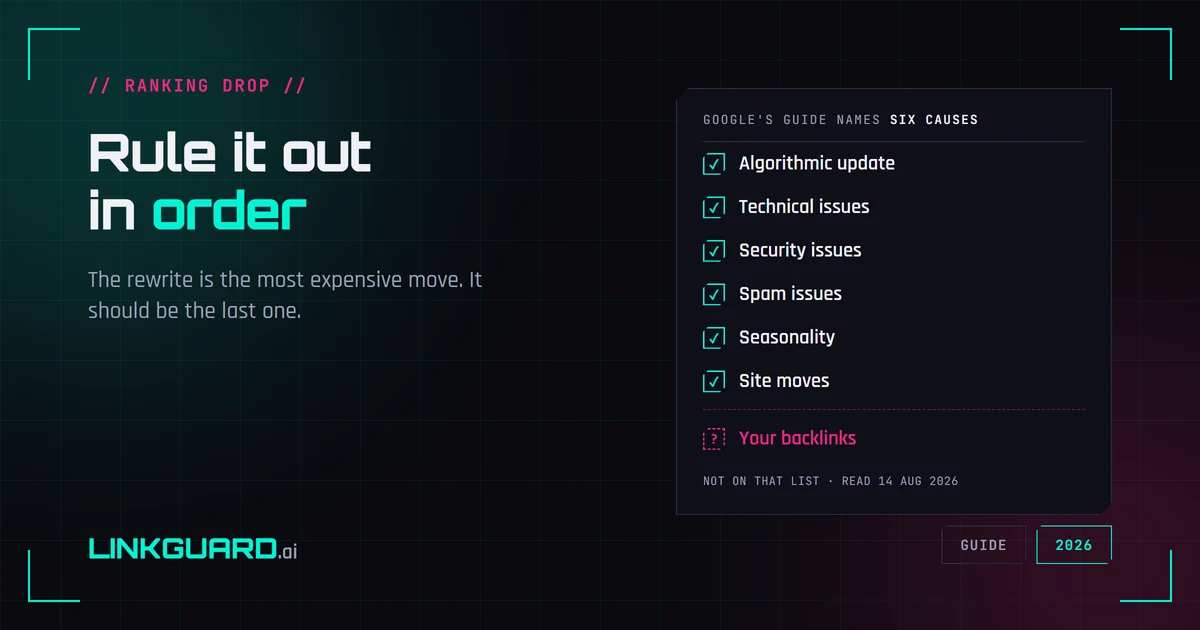
Google publishes a debugging guide for Search traffic drops. It names six causes, and backlinks aren't among them — the word doesn't appear on the page. That's not an oversight, it's a boundary: the guide covers Google's side of the glass. Here's the full elimination order, from measurement artifacts to the box almost nobody opens, with the rewrite saved for last.
Why your SERP position is three different numbers
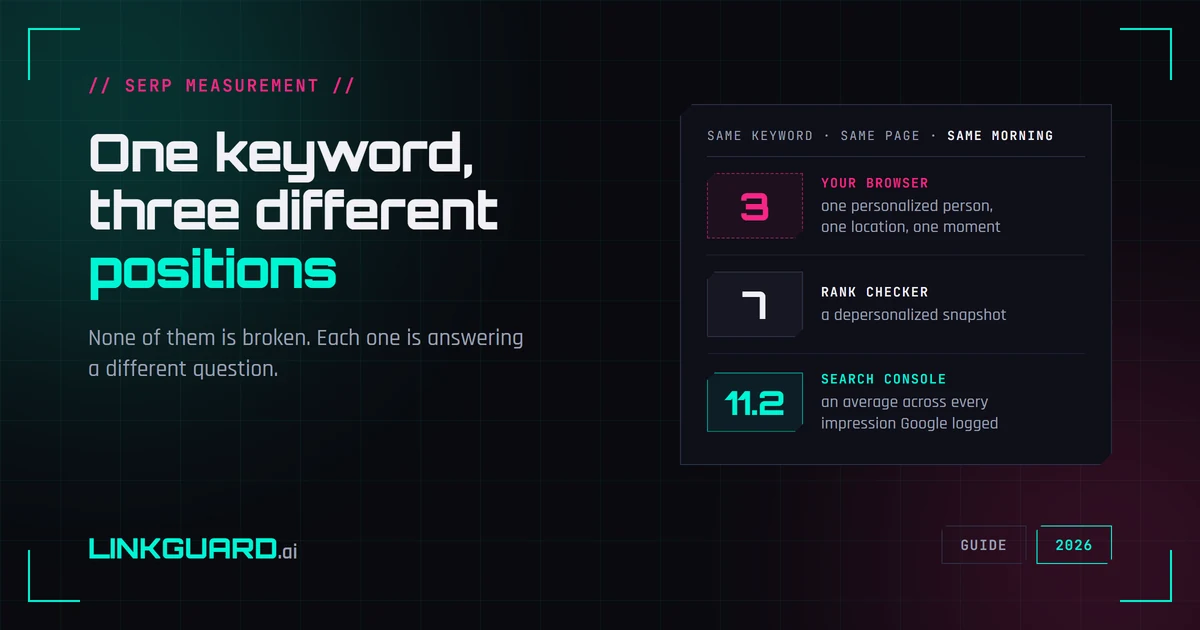
Your browser puts you third. Your rank tracker says seven. Search Console says 11.2. Same keyword, same page, same morning — and none of the three is broken. They answer different questions, and Google documents most of the difference itself. What each number measures, two things I checked live this week that contradict the standard advice, and the one figure worth putting in a client report.